Minimize To Tray
Advertisement

Shortcuts To Tray v.1.0.1
ShortcutsToTray is a software for quick access to your favorite links and shortcuts from the system tray. The software keeps your favorite links and shortcuts to files, folders, applications, Internet and network resources, command lines,
Advertisement
4t Tray Minimizer v.5 52
4t Tray Minimizer is a lightweight but powerful window manager, which helps you to free up space on the desktop and the taskbar via the following actions: - Minimize To Tray - any application can be minimized to the system tray.

EXtra Buttons v.2.2.5-beta
Ultimate desktop enhancement. Allows to pin window, duplicate, minimize to tray, box, setup window transparency, bookmark applications and folders, collapse window to the caption bar.
Chameleon Window Manager Lite v.2.1.0.327.0
Chameleon Window Manager will allow you to control the windows of your programs using customizable buttons added to the title bars of the windows (Always on Top, Minimize to Tray, Minimize to Caption, Specify Transparency etc).
4t Tray Minimizer Free v.5 52
Would you like to hide your favorite program instead of closing, because it is loading for a long time and you don't want to wait while it will be launched next time?
Chameleon Buttons Lite v.1.1.0.137.23
Chameleon Buttons will allow you to control the windows of your programs using customizable buttons added to the title bars of the windows (Position window at left/right of screen, Always on Top, Specify Transparency etc).
EXtra Buttons 2.2.3-beta v.1.0
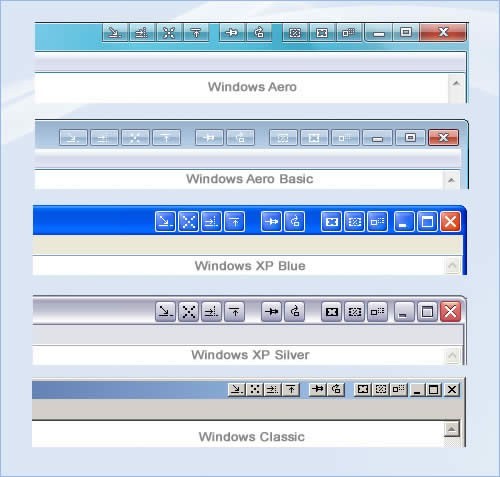
eXtra Buttons helps to organize your workspace and improve your productivity.
Auto Window Manager
Auto Window Manager automatically manages any window you specify. It can set application windows to automatically maximize (minimize, normal, minimize to tray, stay on top)every time they start. It also can auto refresh Internet Explorer at custom
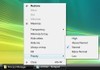
Process Manager for Windows
Ease your control over foreground processes and windows. You can perfrom following operations on any application by just right clicking on them in taskbar. 1. Kill 2. Change their Priority. 3.Always on Top. 4. Minimize to tray 5. Hide 6. Hide others 7.
Digital AMP v.2 1
A full featured MP3 player with a sleek digital face. This player has many features, including playlist, minimize to tray, ect.
AllToTray v.4. 6. 2003
AllToTray allows you to minimize ANY window to your System Tray. It adds the option -Minimize to Tray- to the System menu of the window. If you have checked this option, this tool will minimize the window to your System Tray any time you minimize it.